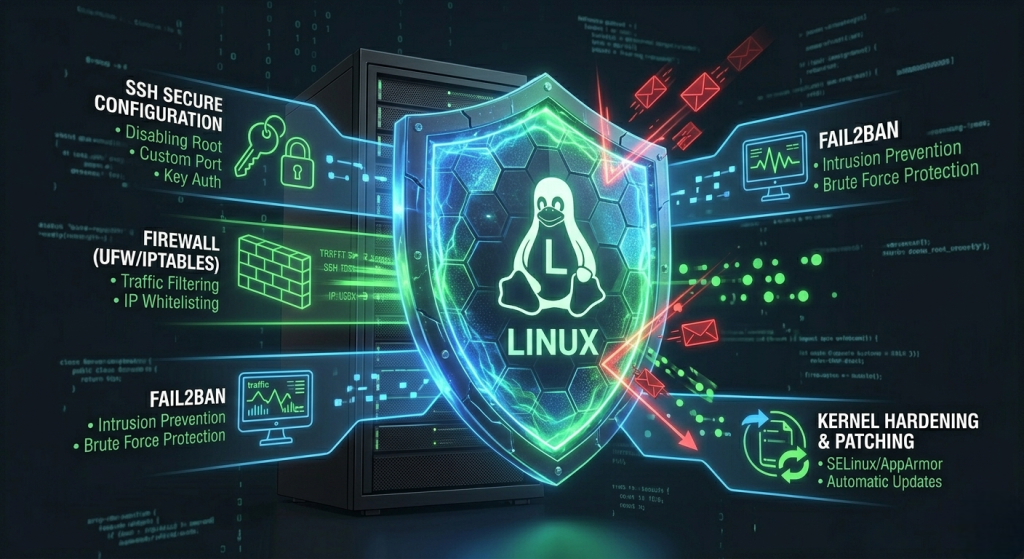
The direct answer: To secure an unmanaged Linux VPS in 2026, you must move beyond basic passwords and implement a “Defense in Depth” strategy. This includes disabling root login, enforcing SSH Key-based authentication (Ed25519), enabling a Stateful Firewall (UFW/NFTables), and automating security patches. For servers based in Bangkok or the AEC, localizing your security—such as IP whitelisting for Thai ISPs—adds an extra layer of protection against global brute-force botnets.
1. Eliminate Password Authentication in Favor of SSH Keys
Standard passwords are the weakest link in server security; instead, use Ed25519 SSH keys for virtually uncrackable access. In 2026, automated AI-driven brute-force attacks can cycle through millions of common password combinations in minutes.
By generating a public/private key pair and disabling password-based logins in your sshd_config, you ensure that only your physical device can initiate a connection to your serverly.host VPS. This is the single most effective step in hardening any Linux distribution (Ubuntu, Debian, or AlmaLinux).
2. Disable Root Login and Create a 'sudo' User
Never log in directly as the “root” user; create a limited user account with sudo privileges to prevent accidental system-wide damage and targeted attacks. Hackers assume the username is “root.” By disabling direct root access over SSH, you force an attacker to guess both your unique username and your encryption key.
To do this, edit /etc/ssh/sshd_config and set PermitRootLogin no. This ensures that even if a vulnerability is found in the SSH protocol, the “keys to the kingdom” aren’t immediately available to the intruder.
3. Implement a Stateful Firewall (UFW) with Local Whitelisting
A firewall acts as the gatekeeper of your server, blocking all incoming traffic by default except for specific, necessary ports. On a Bangkok-based VPS, you should use UFW (Uncomplicated Firewall) to allow only essential traffic: Port 22 (SSH), 80 (HTTP), and 443 (HTTPS).
For enhanced security in the AEC region, consider whitelisting the specific IP ranges of your office or home ISP in Thailand. This “Geofencing” technique ensures that even if someone steals your SSH key, they cannot access the server unless they are physically connecting from an authorized Thai network.
See the guide here: How to install UFW firewall
4. Automate Security Patches with Unattended-Upgrades
Manual patching is a recipe for failure; automate your security updates to protect against “Zero-Day” vulnerabilities. Most hacks occur on systems running outdated software with known exploits.
By installing the unattended-upgrades package on your Linux VPS, your server will automatically download and apply security-critical patches every night. This is vital for unmanaged hosting where the provider (like serverly.host) maintains the hardware, but the user is responsible for the OS-level integrity.
5. Deploy Fail2Ban for Brute-Force Mitigation
Fail2Ban monitors your system logs and automatically bans IP addresses that show signs of malicious activity, such as too many failed login attempts. It essentially creates a “digital “blacklist” in real-time.
In 2026, botnets targeting AEC infrastructure are more persistent than ever. Setting up Fail2Ban with a strict “3 strikes and you’re out” rule for SSH and WordPress login pages prevents your CPU resources from being wasted on processing thousands of fake login attempts.
6. Enforce Multi-Factor Authentication (MFA)
Adding a second layer of verification—such as Google Authenticator or a physical YubiKey—ensures that a stolen SSH key is not enough to compromise your server. Even for unmanaged servers, MFA is now a standard requirement for high-security environments.
Using the libpam-google-authenticator module on Linux, you can require a 6-digit code from your smartphone every time you log in. This creates a “Physical + Digital” barrier that is nearly impossible for remote hackers in other regions to bypass.
7. Change the Default SSH Port
While “security by obscurity” isn’t a total solution, moving your SSH port from the default 22 to a random high-range port (e.g., 2290) eliminates 99% of automated “script kiddie” attacks.
Most automated bots scan the internet specifically for Port 22. By shifting your entry point, your serverly.host logs will remain clean, making it easier to spot genuine security threats rather than being buried under thousands of “noise” alerts from global scanners.
8. Hardening the Shared Memory (shm)
Hackers often use shared memory to execute malicious scripts; hardening this partition prevents unauthorized code execution. This is a more advanced step that involves editing your /etc/fstab file.
By adding the noexec, nosuid, nodev options to your /run/shm partition, you effectively tell the Linux kernel: “Do not allow any programs to run from this memory space.” This is a crucial defense against local privilege escalation attacks.
9. Use NVMe-Based Snapshots for Disaster Recovery
Security isn’t just about prevention; it’s about recovery. Regular snapshots ensure you can restore your server to a “clean” state in minutes if a breach occurs.
When hosting on a Bangkok VPS with NVMe storage, snapshots are nearly instantaneous. Before making any major configuration changes or hardening steps, take a manual snapshot in your serverly.host dashboard. If you accidentally lock yourself out of the firewall, you can roll back the clock without losing data.
10. Audit Your System with Lynis

Lynis is an open-source security auditing tool that scans your entire Linux system and provides a “Hardening Index” score along with specific improvement tips.
Running lynis audit system once a month is like giving your VPS a health checkup. It will look for loose file permissions, outdated kernels, and insecure cron jobs that a human eye might miss. For any unmanaged server in the AEC, this is the final step to ensuring professional-grade security.
Secure your perimeter today. Deploy a hardened Linux VPS in Bangkok and protect your AEC business from evolving 2026 threats.