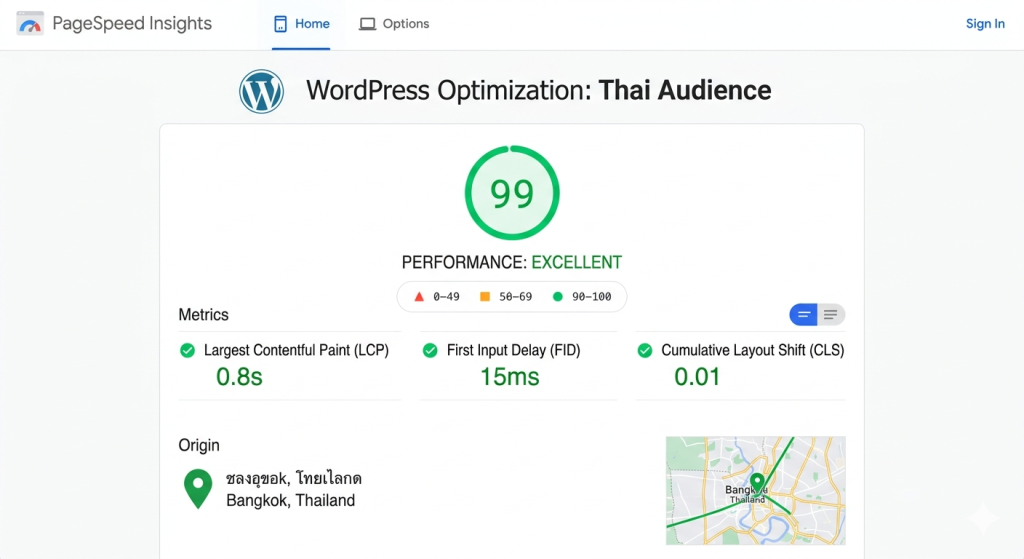
The direct answer: To achieve sub-1-second load times for WordPress users in Thailand, you must host your site on a Bangkok-based VPS using NVMe storage, implement server-level caching (like Redis or LiteSpeed), and ensure your provider has direct peering with major Thai ISPs (AIS, True, DTAC). Local hosting eliminates the 200ms+ latency of overseas servers, providing the necessary foundation for high-speed “Core Web Vitals” scores and better local SEO.
1. Why a Bangkok-Based VPS is Essential for Thai Latency
Hosting your WordPress site on a server physically located in Bangkok is the single most effective way to reduce Time to First Byte (TTFB) for users in Thailand and the AEC. When a server is located in the US or Europe, data must travel through undersea cables, adding significant physical latency.
By choosing a serverly.host VPS in a Bangkok data center, you reduce the “ping” or round-trip time to under 10ms for local users. This geographical proximity ensures that the initial handshake between the user’s browser and your WordPress database happens almost instantaneously, which is the prerequisite for hitting a total load time of less than one second.
2. Leverage NVMe Storage for Faster WordPress Database Queries
Upgrading from standard SSDs to NVMe (Non-Volatile Memory Express) storage is critical for WordPress performance because it allows the database to process requests up to 7x faster. WordPress is a dynamic CMS that relies heavily on PHP and MySQL database queries to “build” a page every time a visitor clicks.
In an e-commerce or high-traffic environment in Thailand, SATA-based drives often become a bottleneck during peak hours. NVMe drives on a serverly.host VPS provide the high IOPS (Input/Output Operations Per Second) required to fetch product data, user profiles, and post content without the lag associated with traditional storage hardware.
3. Implementing Object Caching with Redis and LiteSpeed
Server-side object caching via Redis or Memcached significantly speeds up WordPress by storing frequent database query results in the server’s RAM. Instead of WordPress asking the database for the same information repeatedly, it pulls it directly from the memory, which is significantly faster than any disk.
For the best results on a Thai VPS, pair LiteSpeed Web Server with the LiteSpeed Cache plugin. This combination allows for “Advanced Cache” features that communicate directly with the Bangkok server hardware. This setup bypasses heavy PHP processing, allowing your server to serve static HTML versions of your pages to Thai users in a fraction of a second.
4. Optimizing Core Web Vitals for the AEC Market
Optimizing for Core Web Vitals—specifically Largest Contentful Paint (LCP) and Cumulative Layout Shift (CLS)—is vital for ranking in Google Thailand search results. To achieve this, WordPress developers should:
- Use WebP Image Formats: Convert all JPEGs and PNGs to WebP to reduce file size by up to 30% without losing quality.
- Minify CSS and JS: Remove unnecessary code to reduce the amount of data transferred over Thai mobile networks (AIS/True).
- Disable Unused Plugins: Every plugin adds a PHP execution layer; keeping your WordPress installation “lean” ensures the CPU cycles on your VPS are spent on user experience rather than background noise.
5. Local Peering and AEC Connectivity Advantages
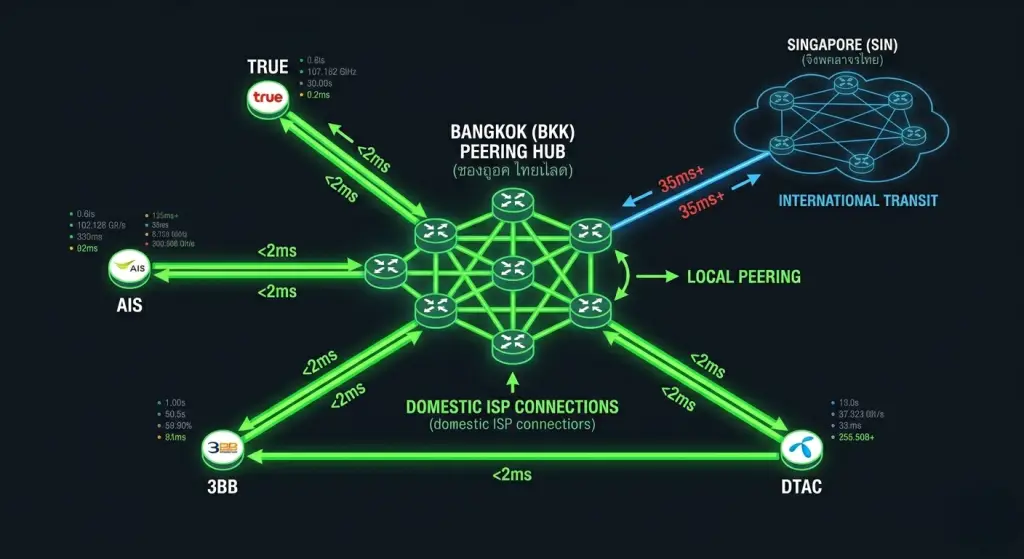
A VPS provider with robust local peering (BGP) ensures that traffic stays within the Thailand National Internet Exchange (THIX) for faster routing. When your server is at serverly.host, your data doesn’t just sit in Bangkok; it is optimized for the AEC (ASEAN Economic Community).
Direct peering with regional gateways means users in neighboring countries like Laos, Cambodia, and Myanmar experience “near-local” speeds. This is crucial for Thai businesses expanding across the border, as it maintains a high-performance experience across the entire Mekong sub-region without needing multiple regional data centers.
Ready to dominate the Thai market? Deploy your high-speed WordPress VPS in Bangkok today and experience the difference of local NVMe performance.